
ChatWink:Live Dance Video Chat
LemarinoLifestyle
1.43.00 Reviews
- Version
- 1.0.5
- Installs
- 10.00K
- Age Rating
- Teen
Screenshots
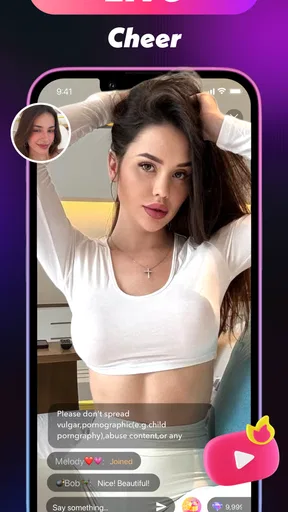
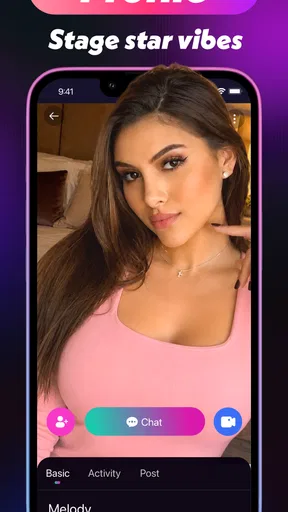

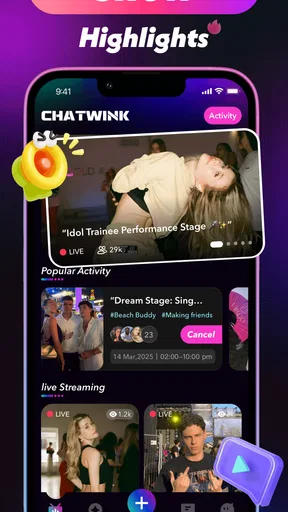

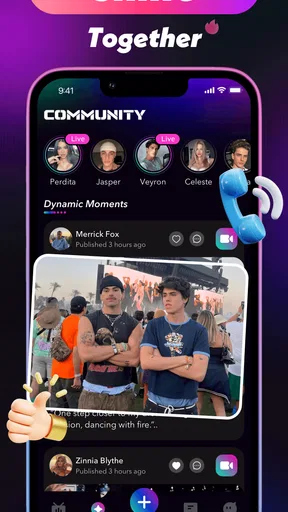
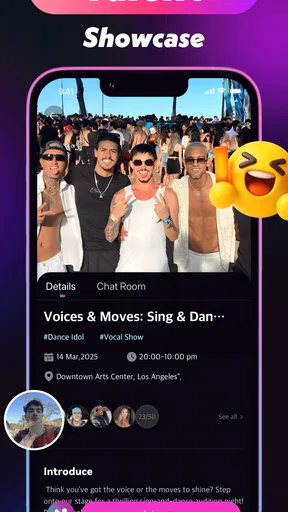
Our Review of ChatWink:Live Dance Video Chat
 Analysis by Appyee
ChatWink: Live Dance Video Chat is the kind of lifestyle app that sounds most appealing when you imagine a spontaneous evening: someone wants to dance, another person wants to sing, and a live conversation feels more fun than sending another message. I approached it with that shared-use idea in mind, because a live video app can quickly become part of a household’s phone routine rather than something used by only one person.
My overall impression is mixed. The concept is easy to understand, and the combination of live video, music, and conversation gives it a more playful identity than a standard messaging tool. At the same time, the very low average rating of 1.4 from around 34 ratings is an important warning for anyone deciding whether to spend time with it. I would treat it as an app to test carefully, not as an automatic recommendation.
How ChatWink fits into a shared evening
The most natural use case is a short, informal session. Imagine a household member finishing work or school, picking up a shared tablet or phone, and wanting a light social activity without preparing a playlist, joining a formal class, or arranging a video call in advance. The dance and singing angle makes the interaction feel more like casual entertainment than a serious performance.
That distinction matters. If your goal is to practise choreography, record polished videos, or follow structured lessons, this is unlikely to replace a dedicated dance platform. If you want a relaxed way to appear on camera, talk, and perform for fun, the idea is more relevant. I see it as a social lounge with performance elements, rather than a serious creative-production tool.
For a shared device, I would set a simple household routine before opening the app. Decide who is using the device, whether the session is private or social, and when the phone goes back to its normal owner. This sounds obvious, but live video removes the comfortable pause that exists in ordinary messaging. A person can move from browsing to broadcasting much faster than another household member expects.
The most useful shared-device rule is to treat every session as belonging to one person at a time. That means avoiding the habit of passing the phone around while an account remains open. It also makes it easier to remember who was responsible for ending the session and checking what screen is left visible.
Why the format can work for short, low-pressure moments
ChatWink’s appeal is strongest when nobody is demanding a perfect result. A quick singing challenge between friends, a playful dance exchange, or a conversation where movement breaks the awkwardness can feel more engaging than a conventional text chat. The app’s store summary presents that blend of dancing, singing, and going live, and that combination gives the experience a clear social direction.
I would not use it as background entertainment for a room full of people unless everyone understands what is happening. Live video can change the atmosphere quickly: one person may see harmless fun, while another may feel exposed or interrupted. In a household, asking before switching into a live activity is a small step that prevents most of the friction.
There is also a practical advantage to keeping sessions short. With a new or lightly established app, a brief trial tells you more than leaving it open for an entire evening. You can see whether the interface feels understandable, whether the social flow suits your group, and whether the app fits the device being used without turning the first experiment into a commitment.
Setting up boundaries before anyone goes live
ChatWink is free to download and use as a lifestyle app, but it includes optional purchases priced from $0.99 to $99.99 per item. That range is wide enough to make household coordination important, particularly when the device is shared or connected to a payment method used by several people.
I would agree on a clear rule before handing the phone to someone else: no purchase without asking the account owner. This is more useful than assuming that “free” means every part of the experience is free. A child, guest, or casual user may interpret an attractive in-app option differently from the person responsible for the device.
Another good habit is to close the app when the session ends rather than leaving it on a live-oriented screen. I am not presenting that as a special ChatWink feature or a guaranteed privacy control; it is simply sensible housekeeping for any app built around social interaction. On a shared device, the next person should not have to guess whether the previous user was still participating in something.
Account boundaries deserve the same attention. I would avoid treating one household login as a universal profile for everyone. Shared identities can blur who made a connection, who changed a preference, or who was visible during a session. Even when several people use the same phone, keeping usage clearly separated is easier to manage than trying to reconstruct activity later.
A useful workflow is to choose one person as the session owner, prepare the device, use the app for the agreed activity, and then return the device to its ordinary state. That small sequence is one of the less obvious ways to make a live app feel manageable at home. It reduces accidental handoffs and keeps the social part intentional.
Coordinating dance, singing, and live conversation
The app’s three-part premise creates different expectations. Dancing needs room and a camera position that shows enough of the body. Singing benefits from a quieter environment. Conversation requires people to hear one another. Trying to do all three at once in a busy living room can make the experience less enjoyable, even if the app itself is functioning normally.
For that reason, I would decide the activity before starting. If the plan is singing, find a place where background noise will not dominate. If it is dancing, place the device somewhere stable and keep the surrounding area clear. If conversation is the priority, reduce distractions and avoid making the other person compete with music or movement.
This is not just preparation for better performance. It also helps with consent and comfort. Someone who agrees to chat may not have agreed to appear in a dance session, and someone who wants to sing privately may not want an audience from the rest of the household. A clear invitation such as “Do you want to join a live dance session?” is better than silently turning the camera toward whoever happens to be nearby.
I also recommend agreeing on an exit phrase before a session begins. In a casual live setting, people sometimes stay longer than they want because ending the interaction feels rude. A simple understanding that anyone can leave without explanation keeps the activity recreational rather than socially demanding.
One trade-off is that the app’s playful identity may be more attractive to outgoing users than to people who prefer controlled communication. Someone who enjoys spontaneous performance may find the format refreshing. Someone who wants carefully edited clips, predictable contacts, or a quiet one-to-one conversation may be better served by a conventional messaging or video-call app.
Age context and the trust question
ChatWink carries a Teen content rating, so I would not treat it as a children’s app. That does not automatically tell me how every interaction will feel, and it should not replace an adult’s judgment about a particular teenager’s readiness for live social video. The important point is that live participation deserves more supervision and discussion than an offline singing game.
For a teenager using a shared household device, I would establish expectations around camera use, personal information, and ending uncomfortable interactions. The teenager should know that they do not need to reveal their school, address, daily routine, or other identifying details simply because a conversation feels friendly. They should also feel comfortable stopping immediately if someone becomes intrusive or pressures them to continue.
I would not present the app as a substitute for family oversight. The available product details do not give me a reason to assume household controls, so I would make the boundaries outside the app: agree on when it can be used, which device is appropriate, and how to report a worrying interaction. This is especially important when several people share one account or one screen.
Trust works both ways. Adults should explain the reason for the rules instead of making the app seem mysterious, while younger users should understand that live video can involve real social consequences. A short conversation before use is more practical than waiting until a problem appears.
The Teen rating also affects my recommendation for mixed-age households. I would be comfortable discussing it with a responsible teenager, but I would not hand it to a young child as a general-purpose entertainment app. For younger users, an offline activity or a tightly controlled family video call is a more suitable choice.
What the current version means for expectations
The current version is 1.0.5, and the app was released on Apr 2, 2026. That places it in an early stage of its life, at least from the version and release information available to users. I would therefore approach the experience with patience and keep expectations realistic. Early apps can feel less settled than long-established alternatives, especially when the concept combines live interaction with entertainment.
It supports devices running Android 7.0 or later, which makes the operating-system requirement relatively approachable for people using older compatible Android hardware. That does not guarantee that every older phone will feel equally comfortable with a video-focused activity. Camera quality, battery condition, available storage, and the stability of the household connection can all affect how pleasant a live session feels.
Before involving several people, I would run a private, low-stakes test. Check the camera angle, audio environment, and whether the person using the device understands the controls. This is a better first step than inviting friends immediately, because it separates basic usability questions from social pressure.
The install count is over 10 thousand, which suggests that there is some early interest but not the broad familiarity of a major social platform. That makes the average rating especially relevant: with only a small pool of ratings, a single user’s experience may not predict yours perfectly, but a 1.4 average still tells me to be cautious rather than optimistic.
Where it beats familiar alternatives, and where it does not
Compared with a normal messaging app, ChatWink has a clearer performance-and-presence focus. You are not merely exchanging text or sending a carefully prepared image; the appeal is the immediacy of showing up, moving, singing, and talking. That can make a casual interaction feel more energetic.
Compared with a standard video-call service, its identity is more playful. A regular call is usually built around conversation, work, or family contact. ChatWink is more suitable when the activity itself is part of the reason for connecting. If your friends want to perform or be silly together, that difference may be meaningful.
However, established alternatives are often better for predictable contact lists, long conversations, work meetings, or carefully managed family communication. A dedicated music app is also a stronger choice for listening, while a dance-learning service is more appropriate for instruction and progress. ChatWink’s value depends on wanting the social mixture, not merely wanting one of its individual ingredients.
There is a second trade-off: spontaneity can be entertaining, but it can also make boundaries less obvious. A mature communication tool may feel less exciting while giving users a clearer sense of who they are contacting and why. I would choose ChatWink for an agreed playful session, not as my default replacement for every kind of communication.
Who should try it and who should skip it
I can see a place for ChatWink among friends who enjoy casual performance and do not need a polished result. It may also suit a teenager who understands live-video etiquette and has household permission to use it. People who like trying newer social apps may appreciate the experiment, provided they keep purchases and account access under control.
I would be more hesitant to recommend it to someone who dislikes being on camera, wants a quiet private chat, or needs a mature platform with a long history of predictable behavior. The low average rating is a serious reason to avoid making it the centre of a family’s social routine before testing it personally.
I would also skip it for a young child, for a shared device with no clear account owner, or for a household where payment access is not separated. The issue in those cases is not whether dancing and singing sound enjoyable. It is that live social interaction and optional purchases require a level of coordination that a casual download can easily overlook.
My household verdict
After weighing the concept against the practical concerns, I see ChatWink as a niche experiment rather than a dependable household staple. Its strongest idea is the mix of live conversation with dance and singing, which can give friends a more active way to spend a few minutes together. Its weakest point is the uncertainty that comes with an early app, a very low average rating, and a live format that needs clear boundaries.
If I were recommending it to a friend, I would say: try it with one responsible user, on one device, during a short planned session. Keep the account owner clear, discuss purchases before use, and do not assume that a Teen rating makes every interaction suitable for every younger person. Those steps do not remove the app’s limitations, but they make the trial more sensible.
For me, the deciding question is not whether the store summary sounds fun. It is whether your household actually wants spontaneous social performance instead of a more familiar and controlled alternative. If the answer is yes, the free entry point makes a cautious test reasonable. If you mainly need reliable calls, structured dance practice, music playback, or child-friendly entertainment, I would choose a more specialised option. ChatWink is worth considering only when its live, playful format matches the way you already want to connect.
Developed by Lemarino, the app remains a focused lifestyle choice rather than an all-purpose communication tool. I would keep it in the “try carefully” category: interesting for the right group, but not strong enough for me to recommend without reservations.
Verdict
Strengths of ChatWink:Live Dance Video Chat
- Quick way to meet people through live video and dance sessions.
- Interactive features make conversations more engaging than standard messaging.
- Useful for discovering creators and users with similar interests.
- Video chat can feel more personal and spontaneous than text-based apps.
- Simple social format is easy to understand for new users.
Limitations of ChatWink:Live Dance Video Chat
- Live video interactions may expose users to inappropriate behavior.
- Some features or interactions may require in-app purchases.
- A stable internet connection is needed for smooth video playback.
- Privacy settings should be checked carefully before starting video chats.
- The quality of conversations depends heavily on the active user community.
Similar Picks in This Category
View All
SmartThings
Samsung Electronics Co., Ltd.4.6

Google Home
Google LLC4.0

Pinterest4.2

Astrotalk - Talk to Astrologer
Astrology & Horoscope4.7

My Verizon
Verizon Consumer Group4.5

Samsung Wallet (Samsung Pay)
Samsung Electronics Co., Ltd.4.1
Frequently Asked Questions
What is ChatWink: Live Dance Video Chat?
ChatWink: Live Dance Video Chat is a social entertainment app focused on meeting people through live video interactions, with an emphasis on dance, music, and casual conversation. After exploring the app, I found that its main appeal is the real-time atmosphere: users can watch live sessions, join video chats, interact with creators or other participants, and discover new profiles. The experience is designed to be spontaneous and social rather than a traditional messaging platform.
Do I need to create an account to use ChatWink?
An account is generally required to access the app’s main social and live-video features. During setup, users may be asked to provide basic profile information and grant permissions such as camera, microphone, and notifications. Creating a recognizable but privacy-conscious profile is advisable, since other users may see your public information. Before registering, review the available sign-in options and the app’s privacy policy so you understand how your data and content may be handled.
Is ChatWink: Live Dance Video Chat free to download and use?
ChatWink can typically be downloaded without an upfront charge, but free access does not necessarily mean every feature is free. Live interactions, virtual gifts, premium visibility, or other social functions may involve in-app purchases or virtual currency. Prices and available features can change by region and app version. I recommend checking the store listing and purchase screen carefully, especially if children or other users share the device, and enabling purchase authentication.
Is ChatWink safe for chatting with strangers?
As with any live video and social discovery app, safety depends on how carefully you manage interactions. Avoid sharing your address, phone number, financial details, passwords, or private photos with people you have just met. Use the app’s blocking and reporting tools when someone behaves abusively, requests inappropriate content, or pressures you to move the conversation elsewhere. Parents should also review age requirements, privacy settings, and device permissions before allowing younger users to access the platform.
What permissions does ChatWink need, and can I control them?
Because ChatWink centers on live video communication, it may request access to the camera and microphone, while notifications and photo or media permissions may support messaging, profile creation, or content sharing. You can review and change these permissions through your Android or iOS settings at any time. If you deny an essential permission, some features may not work correctly, but you should only enable access that matches the way you intend to use the app.
